
Voice Commands for Siri
500+ things to say to Siri, step-by-step setup guides and voice translation. Updated for iOS 27 and Siri AI.

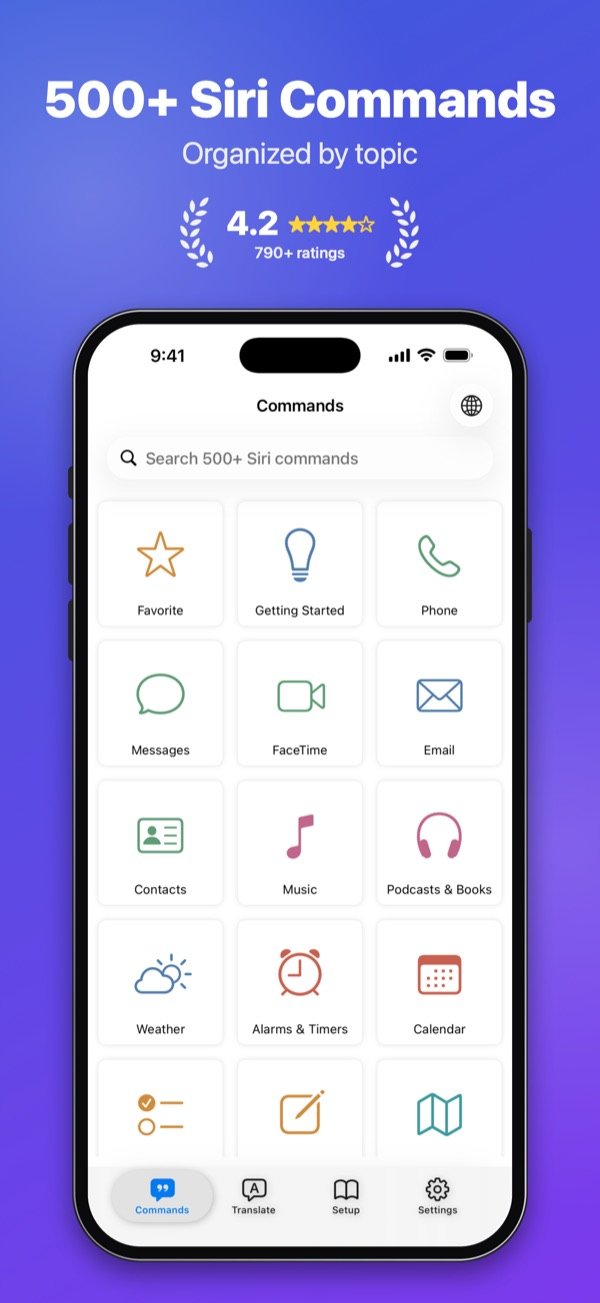
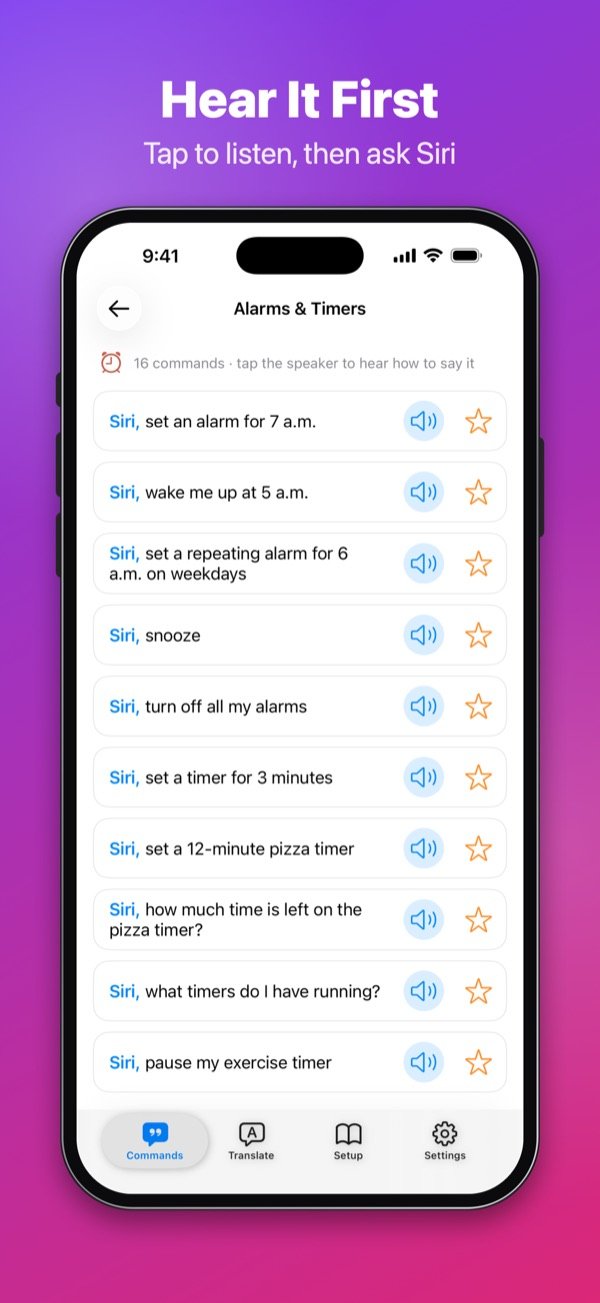
Commands
500+ Siri commands, sorted by topic
A clear, up-to-date guide to what you can say to Siri on iPhone, iPad, Apple Watch, HomePod, AirPods, Mac, Apple TV and CarPlay.
- 39 topics: calls and messages, alarms and timers, music, maps, smart home, photos, health, translation, math and more
- Tap the speaker to hear exactly how to say a command
- "Needs Siri AI" shows what the new Siri can do on compatible devices
- Follow-up commands show what to say after Siri answers
- Search every command in seconds and save your favorites
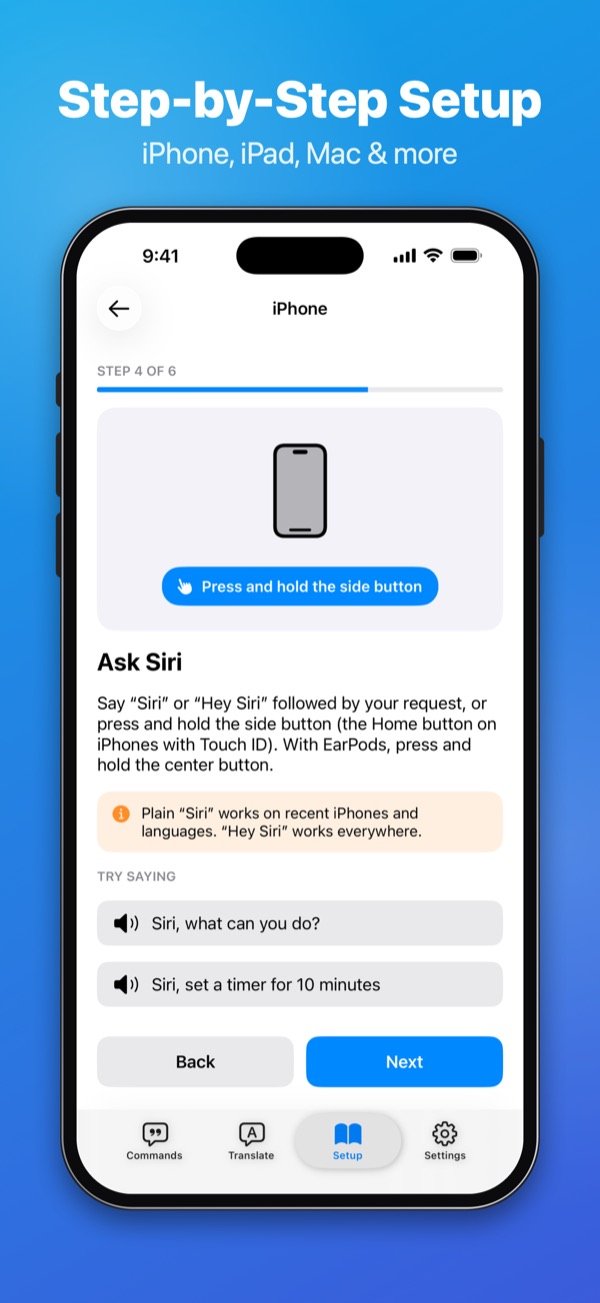
Setup guides
Set up Siri on every device, step by step
Each step shows the exact path in Settings, with notes for iOS 27 and iOS 26.
- 8 device guides: iPhone, iPad, Apple Watch, HomePod, AirPods, Mac, Apple TV and CarPlay
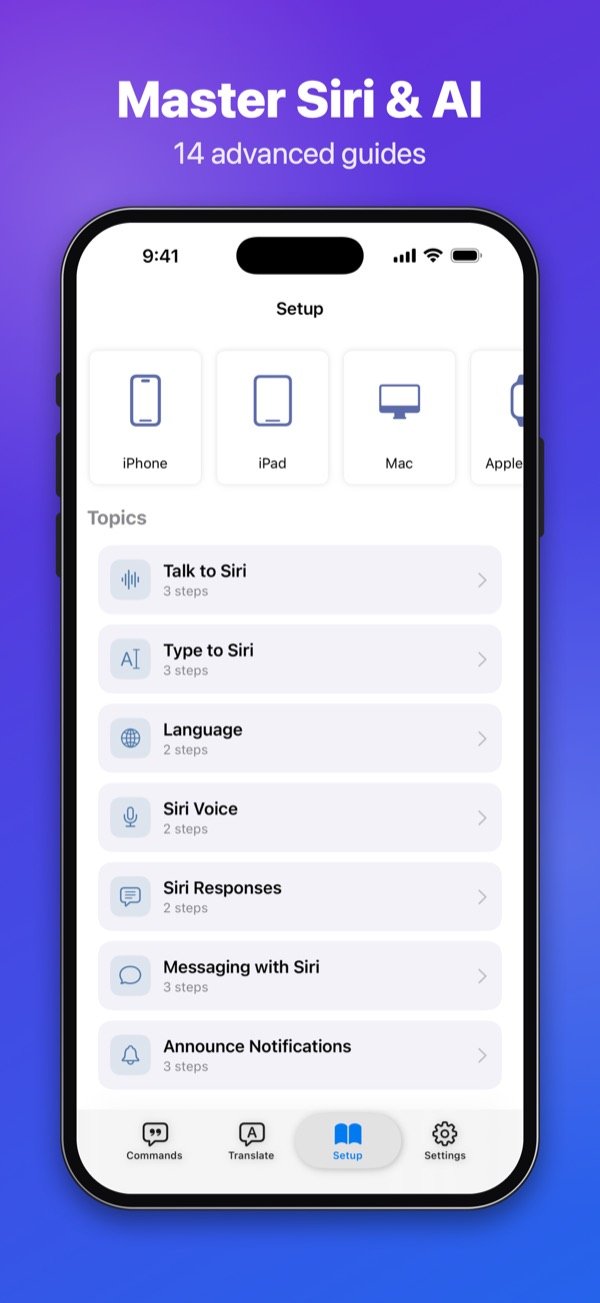
- 14 advanced guides: type to Siri, change Siri's voice and language, announce notifications, Shortcuts, smart home, privacy and troubleshooting
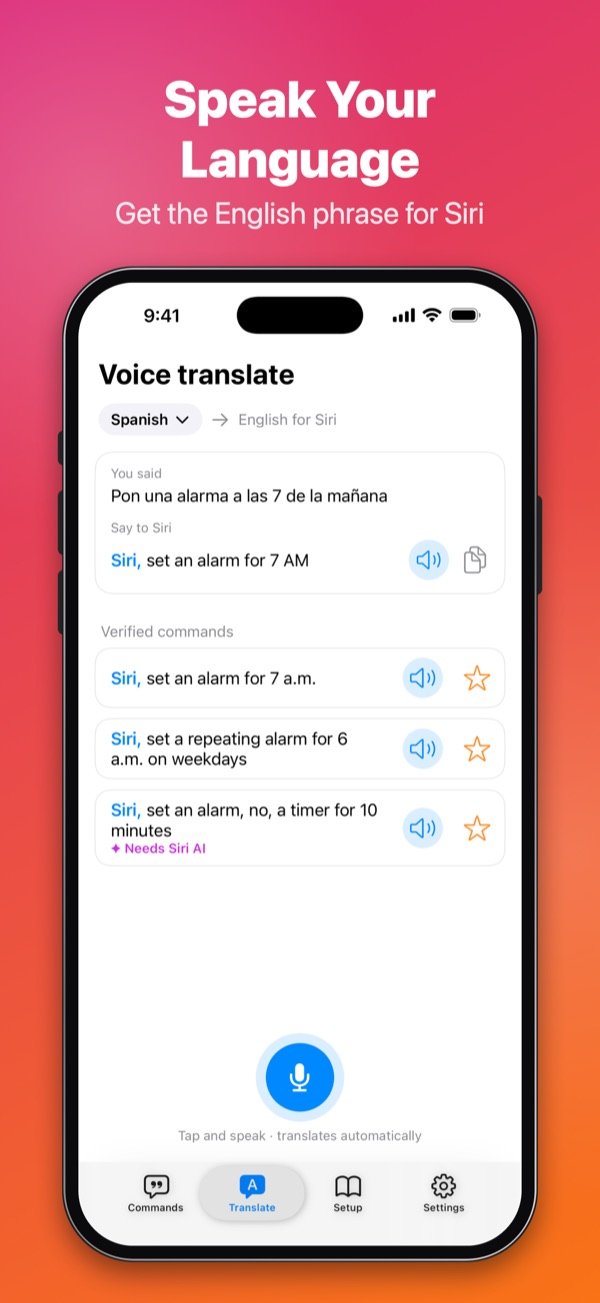
Voice translation
Say it in your language, get the Siri command
Speak in one of 18 languages and get the English phrase to say to Siri, plus verified commands that do the same thing. Translation runs on Apple's on-device engine, on iOS 18 or later.
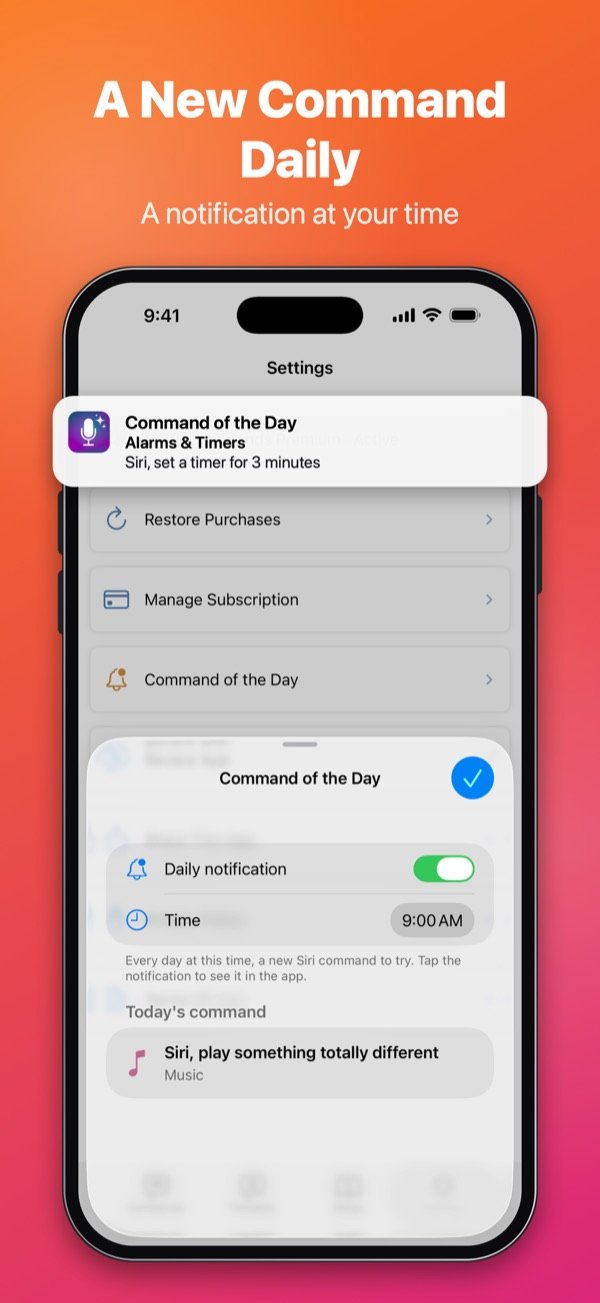
Every day
A new Siri command every day
Turn on the daily notification at the time you choose, add the widget to your Home Screen or Lock Screen, or simply ask Siri: "Command of the day in Voice Commands".
Built into your iPhone
Works with Siri, search and Control Center
Ask Siri
"Music commands in Voice Commands" or "My favorites in Voice Commands".
iPhone search
Type "timer" in the iPhone search to find the right command instantly.
Control Center
Start voice translation in one tap from Control Center, the Lock Screen or the Action button.
Widgets
The command of the day on your Home Screen and Lock Screen.
Languages
In your language, the way people really talk
The commands, the guides and the whole app are written for each language, not translated word for word.
- English
- Français
- Español
- Deutsch
- العربية
- 日本語
Free and Premium
Most of the app is free
Free
No account needed
- All 500+ commands
- Search and favorites
- The 8 device setup guides
- Command of the day and widgets
Voice Commands Premium
Monthly subscription or one-time lifetime purchase. Price shown in the App Store for your country.
- No ads
- The 14 advanced guides
- Voice translation
FAQ
Questions about Voice Commands
Is Voice Commands made by Apple?
No. Voice Commands is an independent guide published by Nice Express. It is not made by, endorsed by or affiliated with Apple, and it does not control Siri: it shows you what to say.
Does it cover the new Siri AI and iOS 27?
Yes. Commands marked "Needs Siri AI" work with Siri AI on compatible devices, in supported languages and regions. The guides include notes for iOS 27 and iOS 26.
Which devices are covered?
iPhone, iPad, Apple Watch, HomePod, AirPods, Mac, Apple TV and CarPlay. The app itself runs on iPhone and iPad.
How do I cancel my subscription?
On your iPhone, open Settings › your name › Subscriptions, choose Voice Commands and tap Cancel Subscription. You can also tap Manage Subscription in the app's Settings.
I changed iPhone. How do I get Premium back?
Open the app's Settings and tap Restore Purchases, signed in with the same Apple Account you used to buy.
Get more out of Siri
Free on the App Store for iPhone and iPad.
Privacy Policy · Terms of Use · Support
Siri, iPhone, iPad, Apple Watch, HomePod, AirPods, Mac, Apple TV and CarPlay are trademarks of Apple Inc. Voice Commands is not made by, endorsed by or affiliated with Apple.