Roku
Roku streaming players and Roku TVs, including the ones sold under the TCL, Hisense, Sharp and Philips names.
Pairing: none, it connects straight away
SmartCtrl finds your Roku, Samsung, LG, Fire TV or Google TV on your Wi-Fi in a few seconds and turns your iPhone into its remote, with a touchpad, your phone's keyboard and the apps installed on the TV.

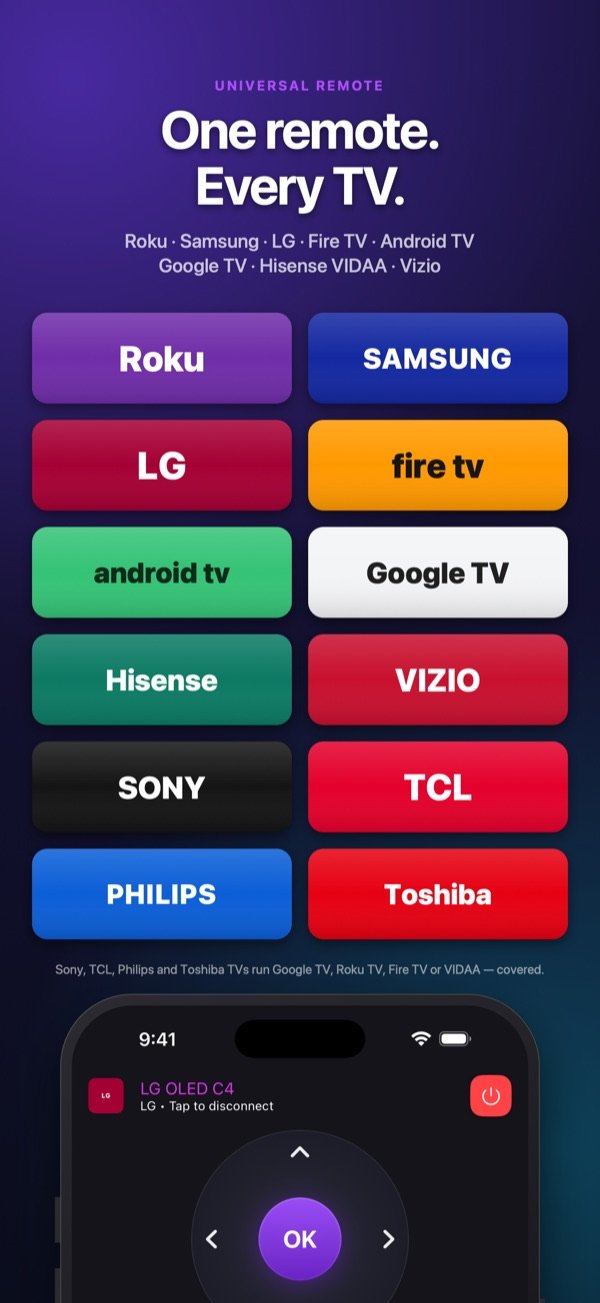
Works with
Each brand has its own way of being controlled over the network. SmartCtrl speaks all of them, so the Samsung in the living room and the Fire TV Stick in the bedroom answer to the same app.
Roku streaming players and Roku TVs, including the ones sold under the TCL, Hisense, Sharp and Philips names.
Pairing: none, it connects straight away
Samsung smart TVs running Tizen, from 2016 onwards.
Pairing: approve the request once on the TV
LG smart TVs running webOS, from 2014 onwards, with the Magic Remote pointer.
Pairing: accept once on the TV
Amazon Fire TV Stick, Fire TV Cube and TVs with Fire TV built in.
Pairing: a 4-digit code shown on the TV
Sony Bravia, TCL, Philips, Chromecast with Google TV, Nvidia Shield and other Android TV sets.
Pairing: a 6-character code shown on the TV
Hisense TVs running VIDAA, and the Toshiba and Sharp TVs that run VIDAA.
Pairing: a 4-digit code, asked once
Vizio SmartCast TVs, with their inputs and apps.
Pairing: a 4-digit code shown on the TV
Your iPhone and your TV must be on the same Wi-Fi network. SmartCtrl works with smart TVs and streaming players connected to that network; it does not use infrared, so it cannot drive an older TV that has no network connection.
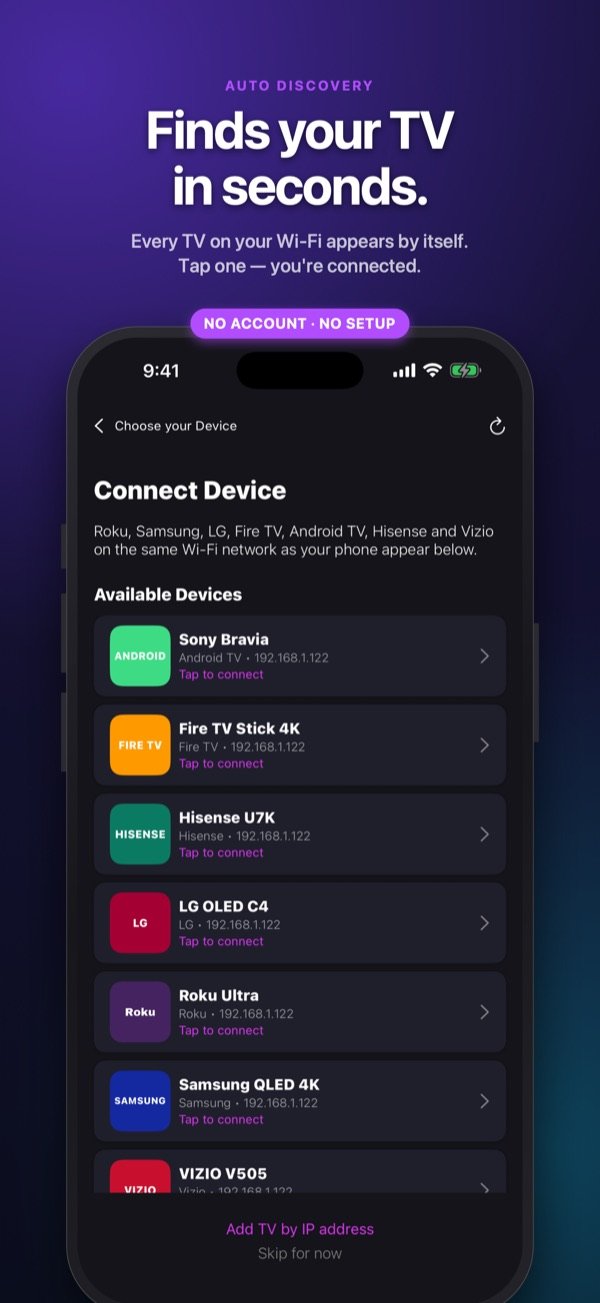
Auto discovery
Open the app and every supported TV on your Wi-Fi appears by itself, with its brand. Tap one and you are connected. There is nothing to create, nothing to sign in to.
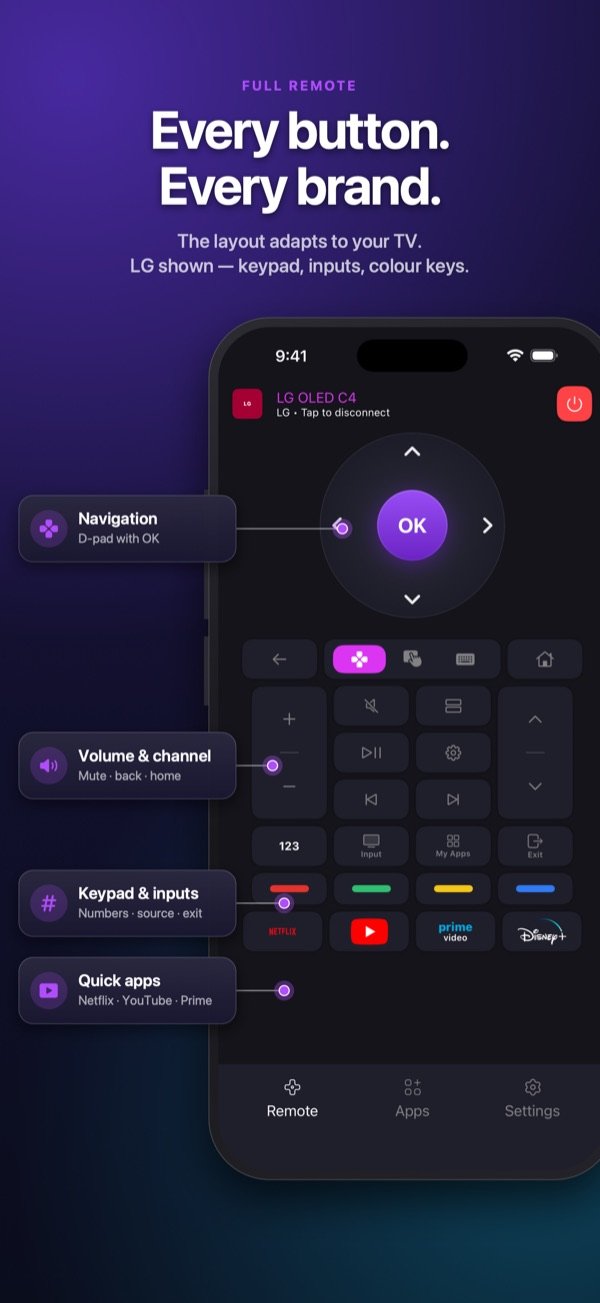
Full remote
The layout adapts to the TV you are connected to, so the keys you see are the keys your TV understands.
Touchpad and keyboard
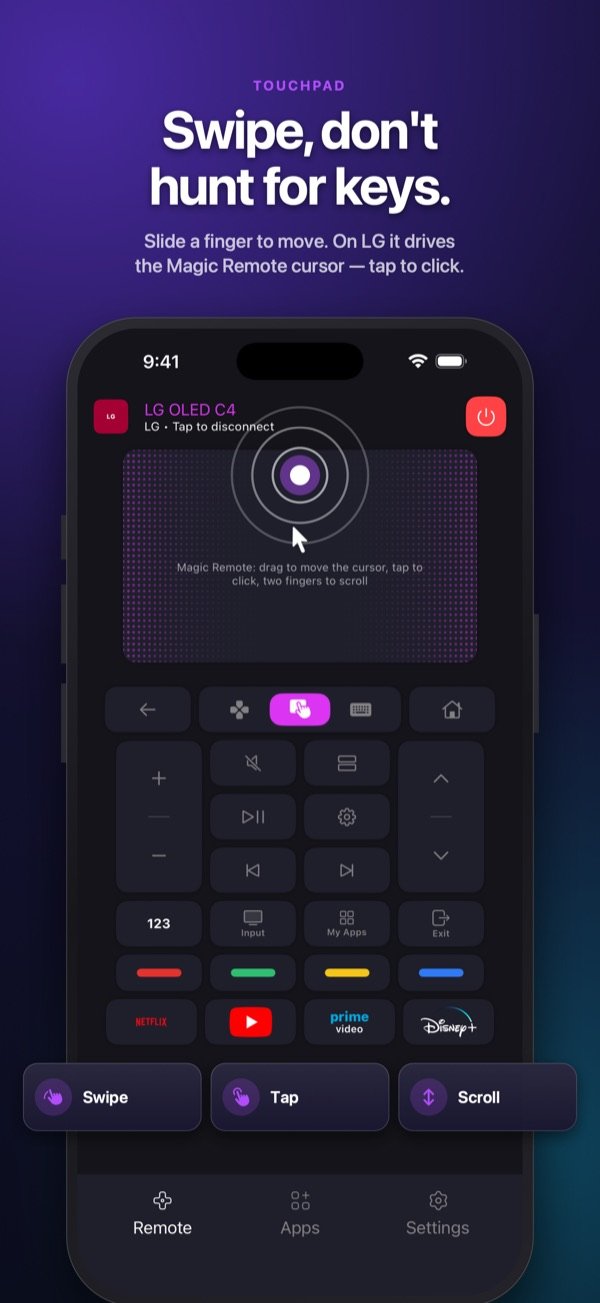
Slide a finger to move through menus and tap to select. On LG, the touchpad drives the Magic Remote cursor, so the pointer follows your thumb.
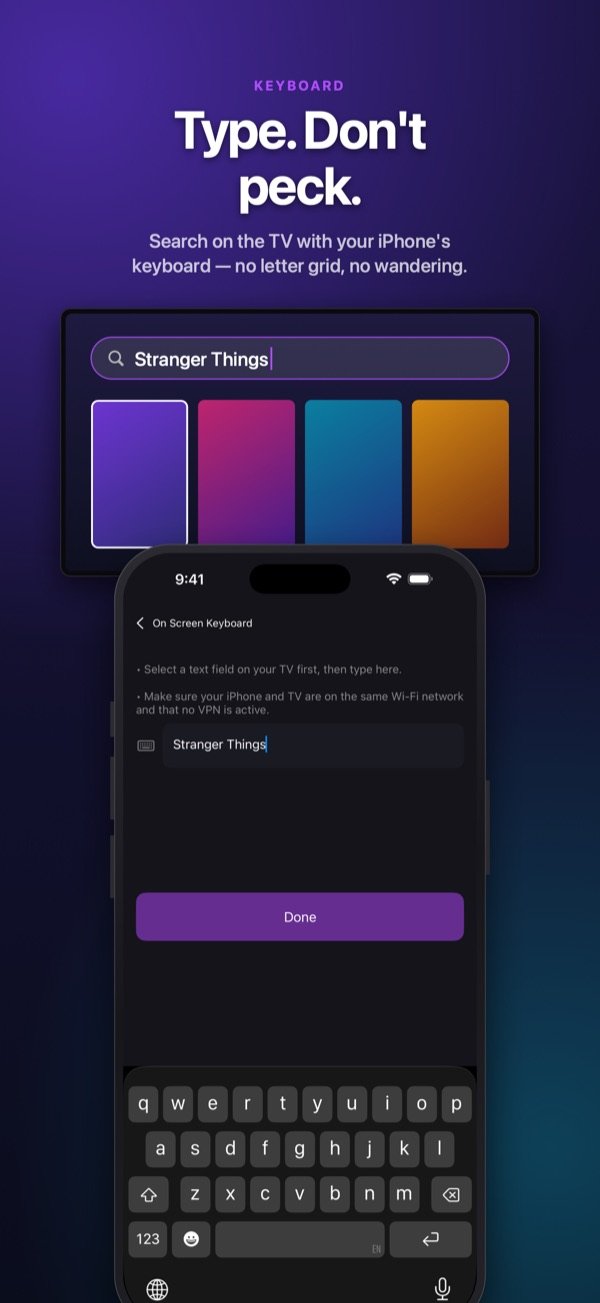
When the TV asks you to type, use your iPhone keyboard: a movie title or a Wi-Fi password goes in at once, instead of one letter at a time on the on-screen grid.
Your TV's apps
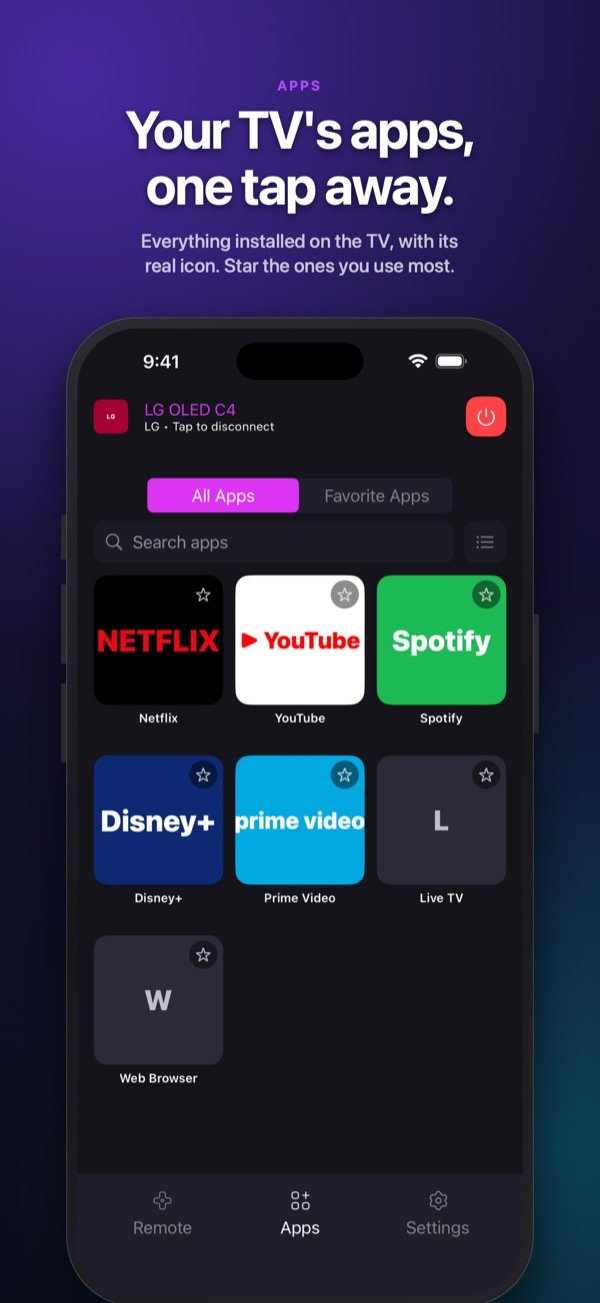
SmartCtrl lists the apps installed on your TV, each with its real icon. Star the ones you open every evening to find them under Favorites.
Pairing
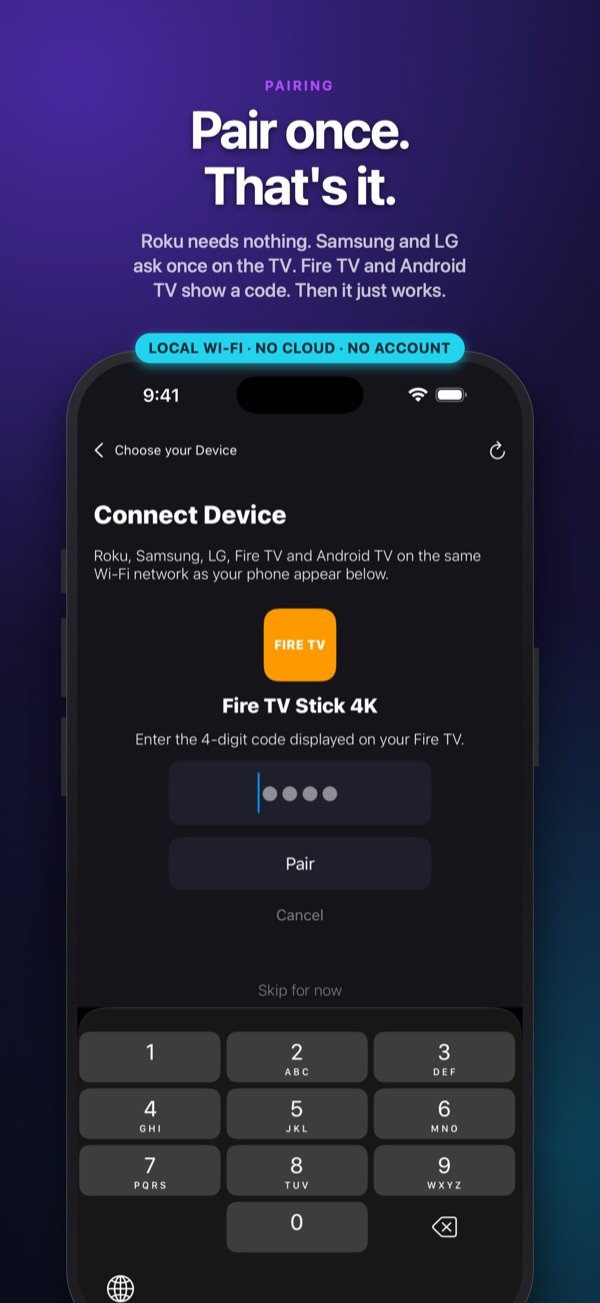
Roku needs nothing. Samsung and LG ask once on the TV screen. Fire TV and Android TV show a code to type in the app. After that, SmartCtrl connects without asking again.
Themes
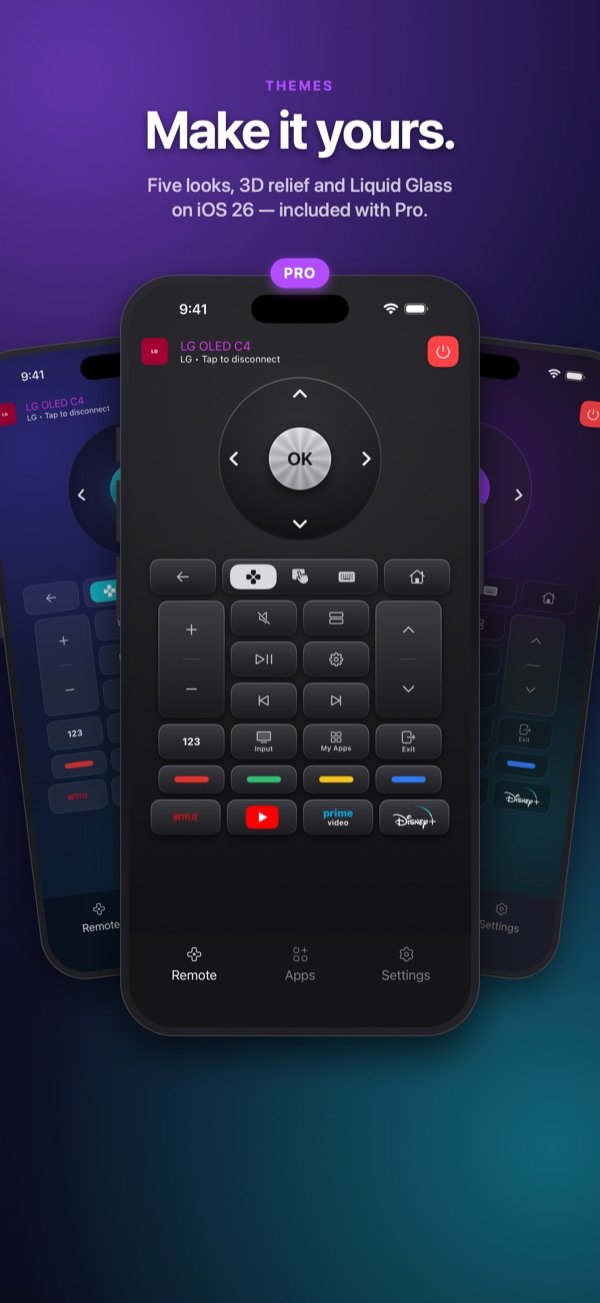
Classic is included. With Pro, choose Aurora, Carbon, Studio or Liquid Glass (on iOS 26), and switch on 3D relief keys.
On your network
No sign-up, no email, no password. Open the app and pick your TV.
Commands go straight from your iPhone to the TV on your home network.
The code your TV shows is entered one time; the key stays on your iPhone.
The same remote on both, from iOS 16.0.
Under the hood
For the curious: the protocol, the network port and the pairing each platform uses. These are the same channels the TV makers' own remote apps rely on.
| Platform | Protocol | Port | Pairing |
|---|---|---|---|
| Roku | ECP over HTTP | 8060 | None, it connects straight away |
| Samsung | JSON over a secure WebSocket | 8002 | Approve the request once on the TV |
| LG | SSAP over a secure WebSocket, plus the pointer socket | 3001 (3000 unencrypted) | Accept once on the TV; the client key is kept |
| Fire TV | The HTTPS remote service the Fire TV app uses | 8080 (DIAL wake on 8009) | A 4-digit code shown on screen |
| Android TV | Google's remote-v2 protobuf over TLS | 6466 (pairing on 6467) | A 6-character code; the phone's certificate is remembered |
| Hisense (2.1) | MQTT 3.1.1 over TLS, the broker the TV runs itself | 36669 | A 4-digit code, asked once |
| Vizio (2.1) | The SmartCast JSON API over HTTPS | 7345, or 9000 on sets from 2016 | A 4-digit code; the token is kept afterwards |
Free and Pro
No account needed
Lifetime purchase, or a weekly (3-day free trial) or monthly subscription. Price shown in the App Store for your country.
Screenshots
FAQ
Roku players and Roku TVs, Samsung Tizen TVs (2016 and later), LG webOS TVs (2014 and later), Amazon Fire TV, and Android TV and Google TV devices such as Sony Bravia, TCL, Philips, Chromecast with Google TV and Nvidia Shield. Hisense VIDAA and Vizio SmartCast arrive with version 2.1.
No. SmartCtrl sends commands over your home network, so the TV must be a smart TV or streaming player connected to the same Wi-Fi as your iPhone. iPhone has no infrared emitter, so no app can drive a TV that is not on the network.
Check that the TV is on and connected to the same Wi-Fi as your iPhone (not a guest network), and that SmartCtrl is allowed in Settings › Privacy & Security › Local Network. Then tap Search again. You can also add the TV by its IP address, shown in the TV's network settings.
No. There is nothing to create and nothing to sign in to. The TV addresses and pairing keys are kept on your iPhone.
Yes. The whole remote is free for every supported brand, with a small banner ad. Pro removes the ads and adds four themes and 3D relief keys, as a one-time Lifetime purchase or as a weekly or monthly subscription.
Commands, TV addresses and pairing keys stay on your Wi-Fi and your iPhone. The free version shows ads from Google AdMob, which collects device identifiers and diagnostic data for advertising, not linked to your identity. Pro removes the ads. Details are in the privacy policy.
No. SmartCtrl is an independent app published by Nice Express. It is not made by, endorsed by or affiliated with any TV maker or streaming platform.
On your iPhone, open Settings › your name › Subscriptions, choose SmartCtrl and tap Cancel Subscription. A Lifetime purchase is paid once and never renews.
Free on the App Store for iPhone and iPad.
Privacy Policy · Terms of Use · Support: contact@appxcellence.net
Roku, Samsung, Tizen, LG, webOS, Amazon, Fire TV, Android TV, Google TV, Chromecast, Sony, Bravia, TCL, Philips, Nvidia, Shield, Hisense, VIDAA, Toshiba, Sharp, Vizio, SmartCast, Netflix, YouTube, Prime Video and Disney+ are trademarks of their respective owners. SmartCtrl is an independent app and is not made by, endorsed by or affiliated with any of them.